
Hey Friend! 🍭 Want to make your lettering look sweet enough to eat? In this video I’ll show you how to draw Candyland-style letters in Procreate—a fun digital art project that’s perfect if you want to practice playful lettering without feeling overwhelmed.

Grab your iPad, open Procreate, and let’s make some sweet digital art together! 🍬
Brushes I use: Smooth inking brush and double line brush, these brushes are available in my 30 Procreate ILLUSTRATION Brush Set. You can always use the monoline brush for the basic frame and inside lines as well.
Steps to Create Candyland Letters:
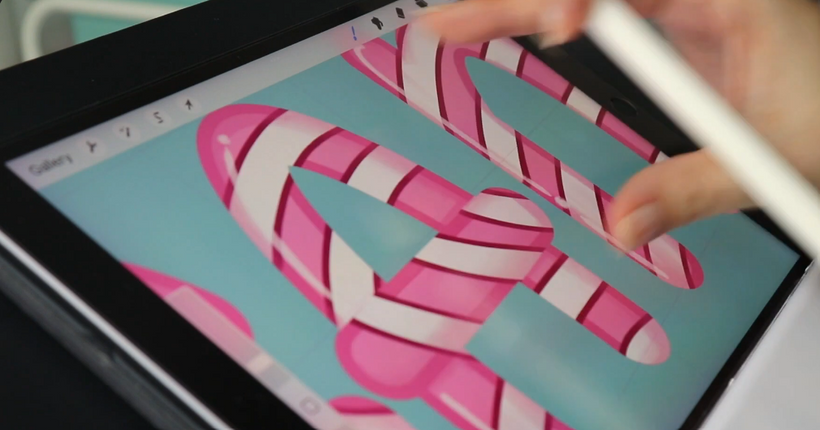
- DRAW THE LETTERS: Create a frame for the letters you want to create. I used the double line brush because it’s faster, but you can also use Procreate’s Monoline Brush. I used a dark pink shade for the frame. Make sure all the lines of the letters are closed.

- FILL IN THE LETTERS WITH A UNIFORM COLOR: Color or fill them in with a lighter pink.

- CLIPPING MASK: Create a clipping mask layer over the letter layer. Draw the inner lines to create the Candy effect. I used a reddish tone.
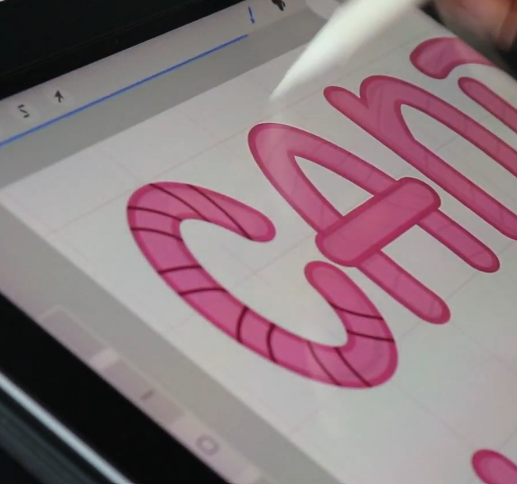
- Color the inside of the red lines white. Make sure the dividing lines are closed.

- Create another clipping mask layer over the white lines to add shadows and highlights.
I hope you enjoy the video and the tutorial. I can’t wait to see your letters.