Time for a Coloring Tutorial.
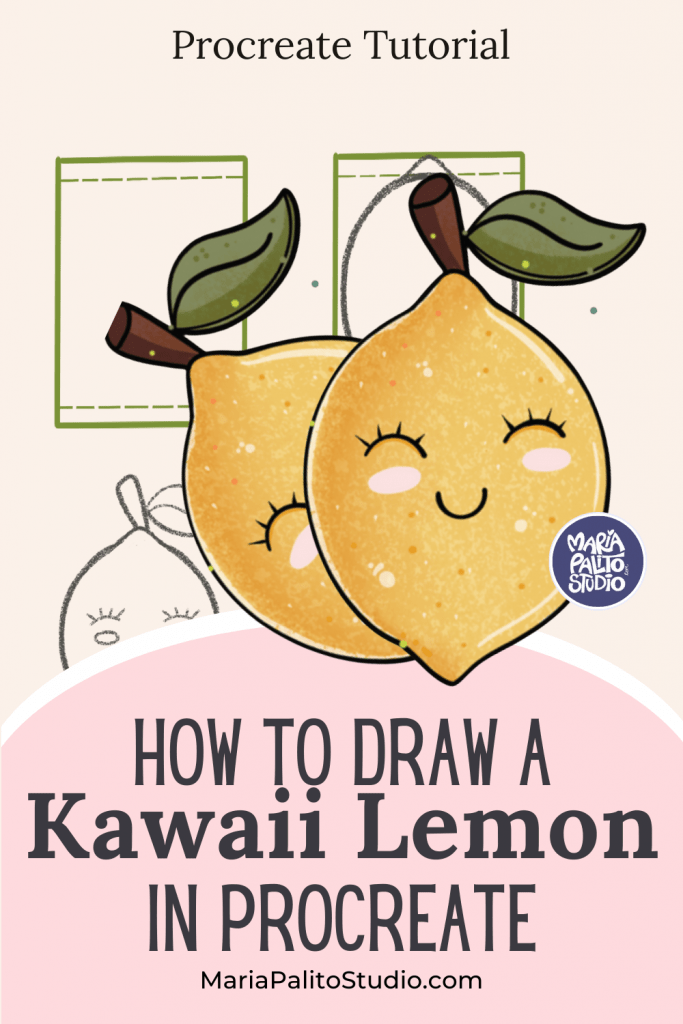
Today we’re going to draw and color a lemon in Procreate.
The shape is simple, which makes this a great exercise for practicing clean forms and soft shading.
How to Draw & Color a Kawaii Lemon in Procreate 🍋
Step 1: Sketch the Shape
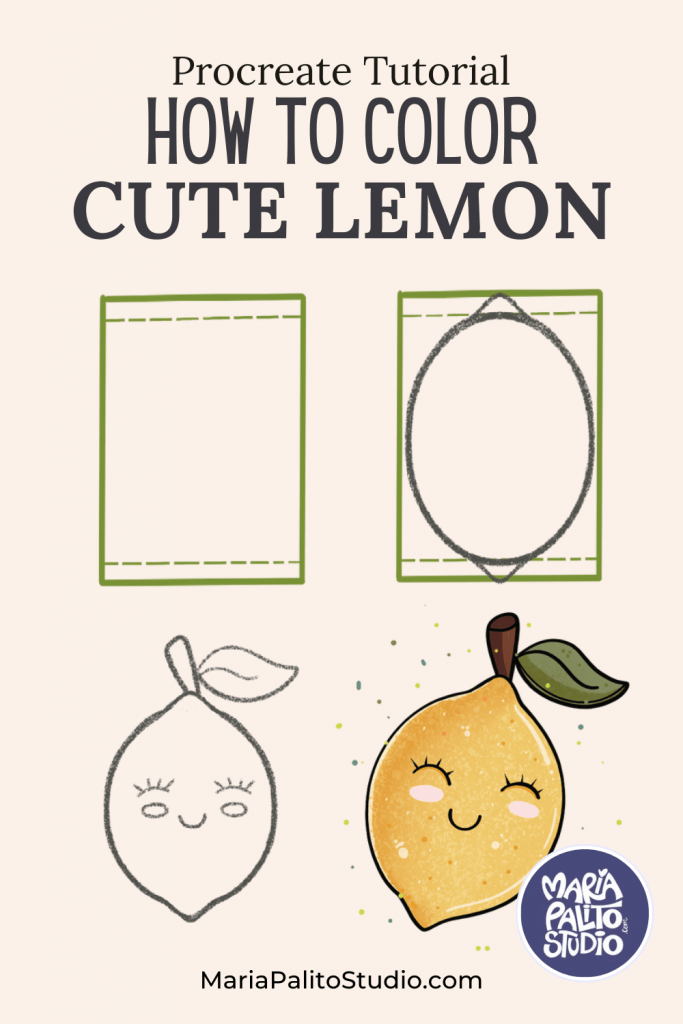
Start by drawing a rectangle as a reference. Add a small seam line at the top and bottom.
Inside the rectangle, draw an oval. This will be the main body of the lemon.
Slightly point the top and bottom of the oval to give it a more natural lemon shape.
Step 2: Add Details
Draw a small stem on top and one or two leaves.
You can also add a few small dots around the lemon to guide where texture will go later.
If you’d like a character style, add a simple face with closed eyes and a small smile.
Step 3: Base Colors
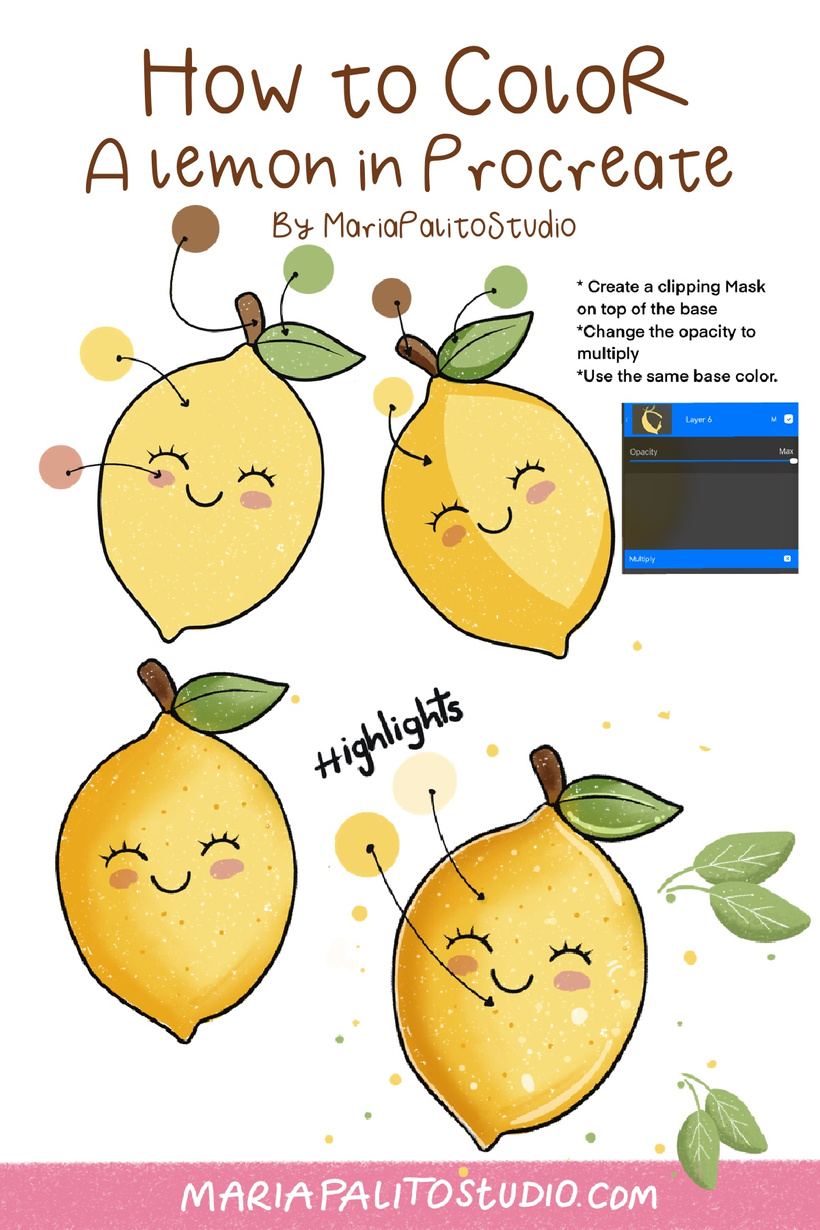
Fill the lemon with a warm yellow. You can use a textured Brush or a Procreate Crayon brush to give it that texture style. Use a darker yellow or light brown for the stem, and a soft green for the leaves.
Step 4: Shading
Create a new layer and set it to Clipping Mask.
With a soft brush, add darker yellow on one side to create shadows.
On the opposite side, add a lighter yellow or soft white for highlights.
Step 5: Texture
Using a grainy or speckled brush, lightly tap over the lemon to add small dots.
This helps create a natural citrus texture and adds depth.
Step 6: Final Touches
Add a thin light outline on one side for extra glow and dimension.
You can also add subtle decorative dots around the lemon to enhance the composition.
And that’s it — a simple, clean, and vibrant lemon illustration made in Procreate.
Brushes used in this tutorial
You can draw this with any kind of brush, but I chose to use a Brush from my Crayon Procreate Brush set called Deep Crayon. https://mariapalitostudio.com/shop/crayon-procreate-brush-set/#/ This week I have a 20% off from all my shop. SHOP HERE
Thank you. MariaPalito
******** Tag me in instagram with your lemon using #mariapalitostudio.
JOIN MY ART COMMUNITY!
Join my creative community on Patreon and instantly unlock my full library of step-by-step tutorials and lesson videos—plus monthly new tutorials, exclusive freebies, color palettes, and Procreate brushes designed to boost your artistic flow!